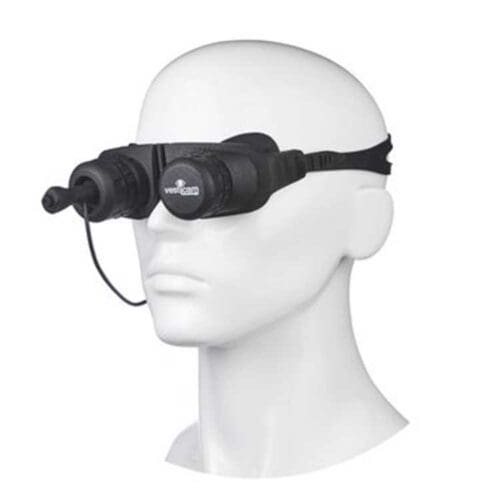
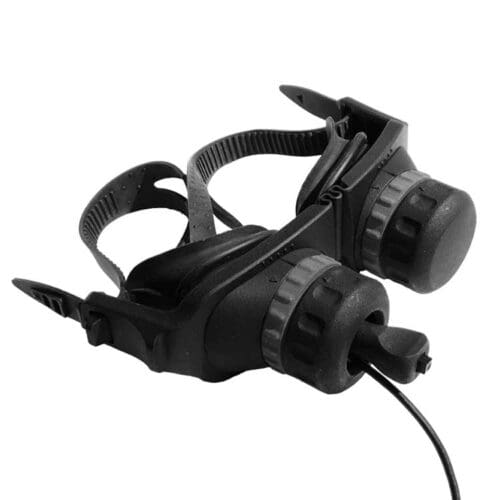
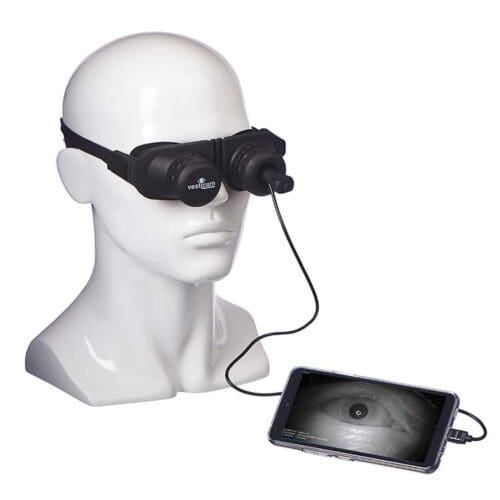
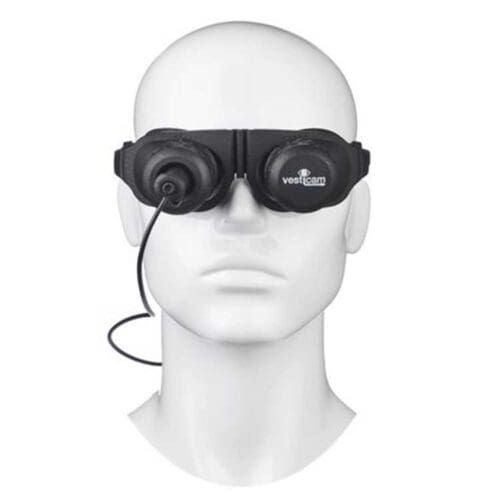
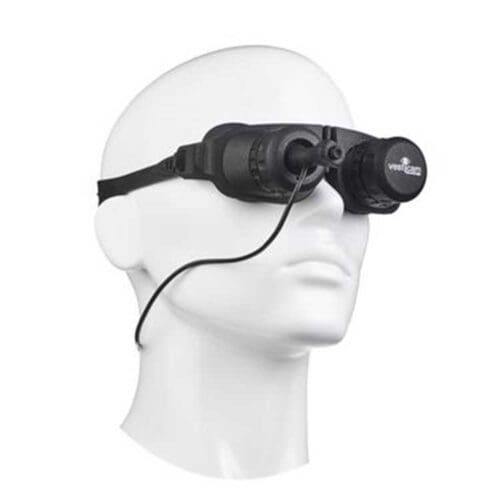
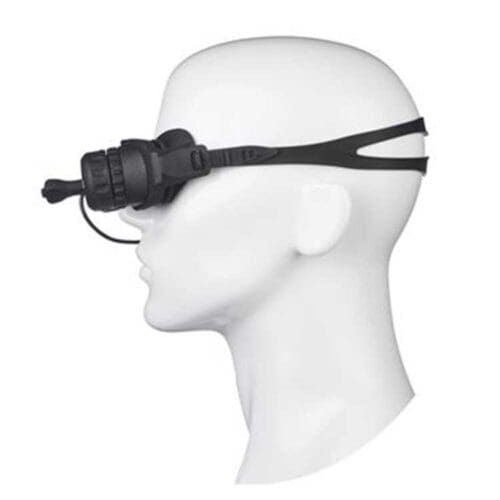


Vesticam2 Infrared Video Goggles Monocular
kr 23.188,00 including VAT
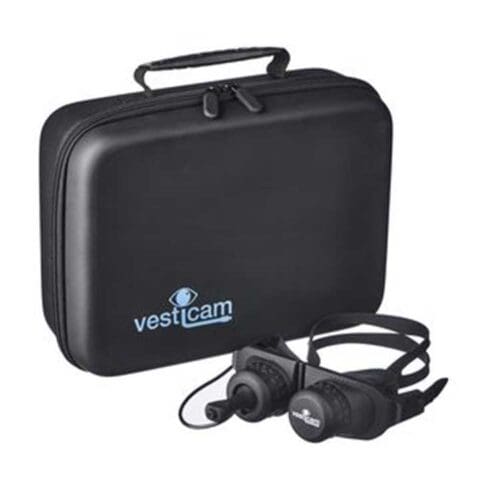
Vesticam2 Infrared Video Goggles Monocular
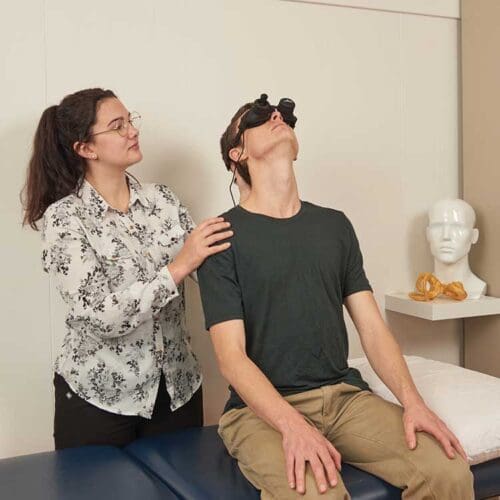
Suitable for various clinical settings
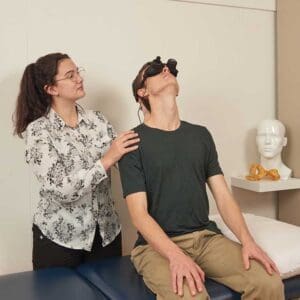
• Clinics for vertigo, dizziness, and balance
• Emergency departments
• Pediatrics
• Nursing homes or the patient’s home
• Research
The glasses work with android, tablets, PCs, or Macs. They do not work with iPhones or iPads!
Suitable for a variety of settings
- Dizziness, Vertigo & Balance
- Emergency Departments
- Pediatrics
- In a nursing home or at home
- Research
The goggles are compatible with Android , tablets, PCs, and Macs. They are not compatible with iPhones or iPads!

Description
Vesticam2 Infrared Video Goggles Monocular
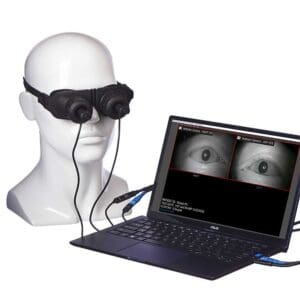
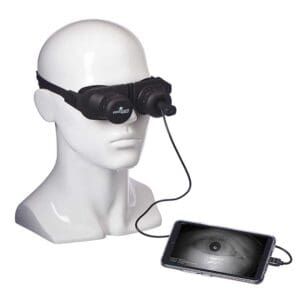
Helps clinicians identify the cause of dizziness, vertigo, and other vestibular disorders, and enables precise, real-time visualization of eye movements both with and without visual fixation.
Introducing Vesticam2:
The eye is a window into the vestibular system. Vestibular clinicians, specialists, and emergency personnel must be able to
observe and interpret small, rapid eye movements during
testing in order to properly diagnose and treat vertigo,
dizziness, and balance disorders. Vesticam2 is an infrared
video eye-movement recording system that provides a clear
recording of eye movements, with and without fixation.
Vesticam2 was designed for your clinical needs and for your
patients’ needs. The result is a system that is simple
and works very well to support your clinical assessments.
Benefits of the Vesticam2 Infrared Video Goggles Monocular:
Reliable vestibular assessment – provides clear recordings
of eye movements of the right or left eye during oculomotor tests.
Easy to set up and use – users do not need extensive IT
knowledge or technical training to use it. Intuitive and user-friendly.
Portable – Can be easily shared among clinicians and transported
between clinics, departments, and on home visits.
Easily adjustable and easy to focus – Fits a wide range
of face shapes and sizes. The glasses are flexible and can be easily focused and adjusted thanks to a 22 mm
interpupillary distance.
Can be cleaned quickly and easily – No need for autoclaving.
Comfortable to wear – Weighs less than 130 g and comes
with quick-release buttons on both sides. The patient’s nose remains uncovered, allowing them to breathe normally
and wear a face mask if necessary.
Use with or without fixation – Internal fixation lights can be turned on and off during testing. Removable eye patches also allow the patient to quickly see their surroundings again,
which can reduce anxiety, allow the patient to be moved, and support
monocular .
Easy camera switching between eyes – The camera units can
be switched from one eye to the other in seconds. Simple opening and closing mechanisms prevent image distortion.
Viewing, saving, and sharing video files – Use standard methods to upload and save videos. The videos can be played back at normal or half speed and can be quickly and easily shared for review by other clinicians.
Accessible and friendly support – Our dedicated support team is always available and understands the needs of
vestibular clinicians.
Digital technology – Can be used with most smartphones,
tablets, or computers. Smartphone screen sharing allows
simultaneous display on a separate, larger screen.
Easy upgrade to Binocular on your computer –
With an optional additional camera unit and dual-
extension cable
FAQ
1. Do I need monocular or binocular IR Video Goggles?
Both a monocular (single-camera) and a Binocular dual-camera) device will allow you to record eye movements during 15 different vestibular tests, including the Emory Clinical Vestibular Chair Test.
The main difference between the two devices is that binocular goggles allow you to view independent eye movements in both eyes. For some clinicians, this may not be necessary, but it can be useful for advanced vestibular clinicians and for those working in fields such as neurology and traumatic brain injury.
Note that when testing with binocular goggles, you will need a computer to record the eye movements. This allows for viewing of both eyes and a room camera, but makes the device less compact and slightly less versatile than the monocular goggles, which can be used with a smartphone, tablet, or computer.
Video Goggles Vesticam2 IR Video Goggles as a monocular device by default. An additional camera unit and cables can be purchased separately to enable binocular viewing. Once set up for binocular viewing, you can still easily disconnect one camera and switch back to monocular viewing.
2. Does the Vesticam2 have an internal fixation light?
Yes! Press the button at the end of the joystick to turn the internal fixation light on and off. The goggles must be connected to a recording device the fixation light to work.
3. Can I switch the camera between eyes to record?
Yes! Camera units can be switched back and forth between eyes in seconds. The simple twist-and-lock mechanism ensures you don’t lose the image. The eye patch can be removed and replaced in the same way.
4. What tests can I use Vesticam2 to conduct?
Vesticam2 IR Video Goggles it possible to conduct tests that are sensitive, specific, and have a low risk of confirmation bias. Vesticam2 supports 15 clinically and academically accepted tests.
Adding a camera allows you to use Vesticam2 binocularly to observe independent eye movements.
Vesticam cannot be used for the Test of Skew or Convergence testing.
5. Does the Vesticam2 fit on the faces of young children as well as adults?
Yes! The Vesticam2 features a sturdy and flexible faceplate to which the goggles are attached. It is designed to fit young and old, as well as narrow and wide faces. The camera’s 22mm adjustment range, combined with the patented Vesticam, provides even more flexibility and comfort for your patients.
6. Can patients use Vesticam2 while wearing a face mask?
Yes! Because the Vesticam2 video glasses leave the patient’s nose uncovered, the glasses will be completely light-tight even if the patient is wearing a face mask.
7. What is included when you purchase Vesticam2?
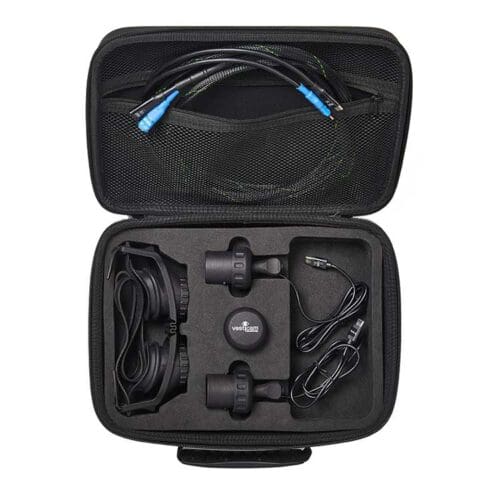
Vesticam2 comes with monocular IR Video Goggles recording device a standard package. The monocular package Contains:
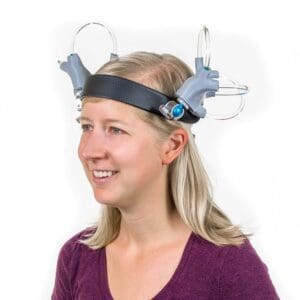
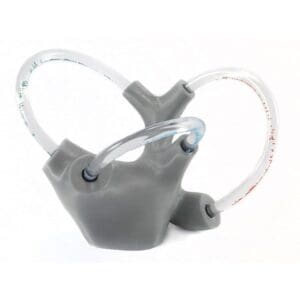
- A flexible and Adjustable faceplate with quick-release buttons.
- Removable and reusable silicone eye cups
- Eye patch cylinder (to remove fixation)
- Camera unit cylinder, with internal fixation light (1m cord)
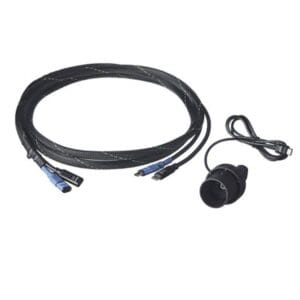
- 2-meter extension cable for optional with a smartphone, tablet, or computer
- USB-A adapter for connection to PC/Mac
- Mustache
- Secure carrying case with zipper and extra storage space
optional : - Android recording device Vesticam pre-installed. No SIM card included.
- Camera unit cylinder, with internal fixation light (1-meter cable) and dual extension cable for Binocular .
- Extra silicone eyecups
8. Can anyone use the Vesticam2 IR Video Goggles?
We recommend that only trained vestibular clinicians use the Vesticam2 (or any type of IR goggles). Would you like more training? Click here to learn more about co-treatment courses and continuing education in vestibular therapy.
9. Do you offer Course teach clinicians how to use Vesticam2 IR Video Goggles?
For qualified vestibular clinicians, Vesticam2 is very easy and intuitive to use.
If you would like in-person or online training, Contact directly.
We recommend that only trained vestibular clinicians use Vesticam2 (or any type of IR goggles). Would you like more training? Click here to learn more about co-mentoring courses and continuing education in vestibular therapy.
10. Which recording devices can be used with the Vesticam2 IR video goggles?
Video Goggles Vesticam2 IR Video Goggles be used with android , tablet, or computer (PC or Mac).
To view and record eye movements on an android or tablet, you will need Vesticam. Vesticam is an intuitive and user-friendly software designed for vestibular clinicians. The app does not work on iPhones or computers.
To view or record eye movements on a computer (PC or Mac), you can either use the video playback software that comes standard on most computers, or the free and encrypted OBS software. Vesticam and supports the use of OBS. We offer free setup of OBS with modifications to make it perfect for use by vestibular clinicians.
11. Can I use the Vesticam2 IR Video Goggles my own smartphone?
An android recording device Vesticam with Vesticam, which is free and pre-installed. The recording device is also fast, has good screen quality, and provides high-quality audio for recordings. Vesticam Video Goggles be used with most Android phones/smartphones and tablets running Android version 9 or higher. To use your own smartphone with Vesticam Video Goggles , you Video Goggles need to download Vesticam.
Eye-tracking videos are medical information. Vesticam does not recommend using a phone with a SIM card.
iPhones and iPads are not compatible with Vesticam’s IR video camera
12. Where can I get the Vesticam app?
Please Contact if you have purchased a package with Vesticam video goggles and would like to download Vesticam onto your own smartphone or tablet.
13. Can I Name the videos so they match my existing patient record system?
Yes! You can easily Name all eye movement videos.
Files in Vesticam are Name the time and date, patient name, test, eye (H or V), and clinician. To rename Name in Vesticam, go to Image Library > Select > Play Video > tap the pencil icon to edit. Files can also be named in advance, before recording begins.
Files in OBS can be Name the edit function.
14. Can I transfer Vesticam from a smartphone to another storage device (e.g., PC, Mac, cloud storage)?
Yes. Videos can easily be transferred to another computer or to cloud storage.
15. Can I share Vesticam with others?
Yes, the files can be shared in all the usual ways. Because the video files are very large, you will only be able to send videos that are no longer than 90 seconds via email. For larger files, you can use file-sharing services such as Google Drive, Dropbox, or Microsoft OneDrive.